
Sweet Camera Selfie
DictionaryAndTranslatorBeauty
4.438.00 Reviews
- Version
- 2.1.0
- Installs
- 1.00M
- Age Rating
- Everyone
Screenshots
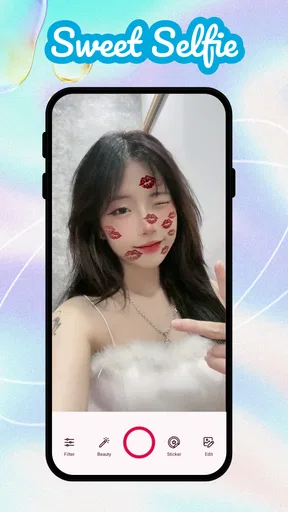
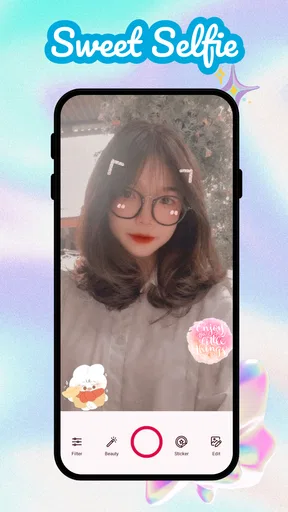
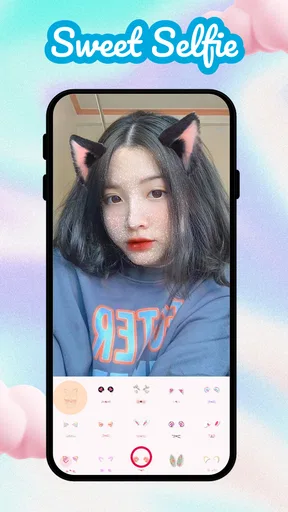
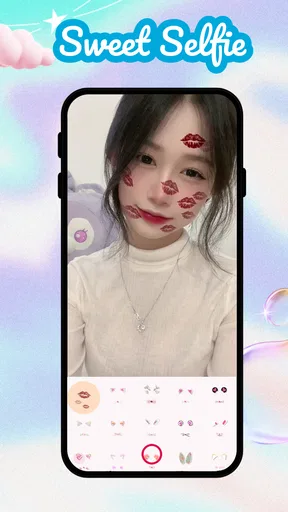
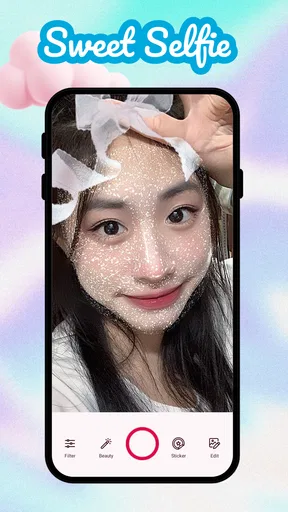
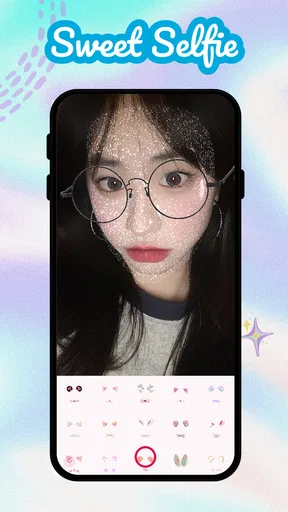
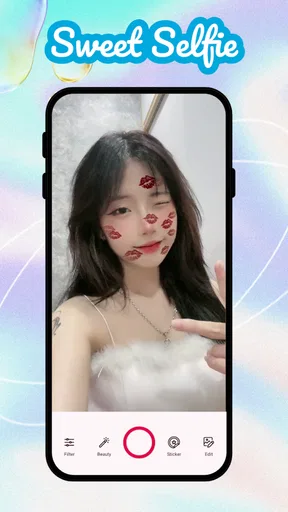
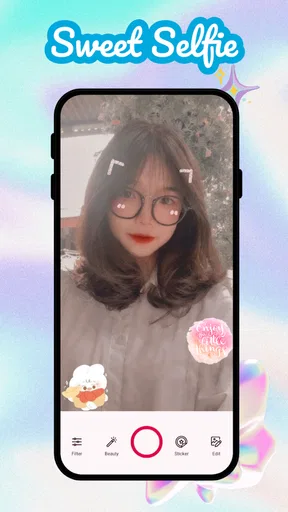
Our Review of Sweet Camera Selfie
 Analysis by Appyee
When I want a selfie to feel a little more polished without turning a quick photo into a full editing project, I look for a camera app that makes the basic choices easy. Sweet Camera Selfie is aimed at that everyday job: taking portraits, trying beauty effects, and giving a picture a particular mood before sharing it. It is a beauty app from DictionaryAndTranslator, and its appeal is less about replacing a dedicated photo-editing suite than about keeping capture and playful adjustments close together.
A simple routine works best
My most useful approach is to decide what I want the photo to feel like before piling on effects. I start with the camera, take a frame in decent light, then try one beauty adjustment or filter at a time. That makes it easier to tell whether an effect actually improves the picture or merely makes it look more processed. The app’s live beautification is convenient for previewing a look, but a light touch usually keeps skin and facial features looking more natural.
For a quick profile image, I would first check the framing and background, then make a small adjustment and stop when the photo still looks like me. For a playful group selfie, stickers or a more obvious filter can be the point rather than a flaw. These are different jobs, so it helps to treat the tools as choices instead of applying everything by default.
Where it fits among selfie apps
Sweet Camera Selfie suits someone who wants effects at the moment of capture and a handful of approachable edits afterward. Compared with using a phone’s standard camera and then opening a separate editor, keeping those steps in one app can feel quicker when the goal is a fun, ready-to-share portrait. A general-purpose editor is still the better pick when I want precise control over layers, retouching, or a carefully matched color grade; a plain camera app is often better when I want an unfiltered record of a moment.
The balance is personal. Beauty tools can help me make a photo feel finished, but aggressive face shaping or smoothing can quickly make a familiar face look unlike itself. I would use those controls as optional styling, not as a correction I need before every photo. If authenticity matters more than a polished look, I would take the picture with the regular camera and leave the beauty effects aside.
First Impressions
Upon downloading Sweet Camera Selfie, I was immediately impressed by its sleek and user-friendly interface. It’s like the app knows exactly what you want to do with your photos and makes it incredibly easy to do just that. Navigating through the various options felt intuitive, and I didn’t find myself fumbling around to find what I needed.
Features That Stand Out
The app is packed with a ton of features, but there are a few that really make it shine. First up, the beauty camera feature. It offers real-time beautification, and let me tell you, it’s like having a magic wand! You can smooth out your skin, adjust your face shape, and even change your eye size. I found myself spending way too much time playing with these settings!
Another standout feature is the sticker and filter library. Whether you’re going for a cute, funny, or artsy vibe, there’s something for everyone. The filters are diverse and add a whole new dimension to your photos. I particularly loved the retro and vintage filters which gave my selfies a stylish edge.
Editing Made Easy
Editing photos can often feel like a chore, but not with Sweet Camera Selfie. The editing tools are comprehensive yet straightforward. You can adjust brightness, contrast, and saturation with just a few taps. The crop and rotate functions are super handy for getting that perfect shot. It’s like having a mini Photoshop in the palm of your hand.
What I found particularly useful was the background blur feature. It automatically detects the subject of your photo and blurs the background, giving you that professional-grade portrait look. It’s perfect for when you want to make your selfies pop!
Settings worth checking before you shoot
Beauty and color effects can change how a photo feels before you even press the shutter, so I would take a moment to check the active look rather than assume the next selfie will match the last one. A useful habit is to make a quick test frame, inspect it at normal viewing size, and only then take the version you plan to keep. This catches an effect that looks subtle in a live preview but feels heavy once the image is saved.
Lighting deserves the same attention as the filter. If I am near a window, I turn toward the soft light and avoid placing a bright window directly behind me; that gives the camera a clearer subject to work with before I reach for smoothing or contrast. In a dim room, I would prioritize moving toward a brighter spot rather than stacking effects to compensate. Filters can set a mood, but they cannot make every lighting problem disappear.
I also treat face-shape and eye-size adjustments differently from brightness or cropping. The latter can solve practical composition issues, while changing facial proportions is a much more noticeable stylistic decision. For a photo I intend to use for a work profile or a practical account image, I would keep those changes minimal. For a costume look or a deliberately playful post, stronger effects make more sense because the image is meant to be transformed.
Repeatable habits make quick edits better
A reliable workflow does not need a complicated preset system. I choose one filter family that suits the scene, take a test shot, and avoid switching between several looks without checking the original framing again. This keeps the subject and background consistent, especially when I am taking a few pictures in a row. If a result feels too warm, too dark, or too busy, I adjust one thing at a time instead of trying to fix everything at once.
For a casual video-call profile refresh, for example, I would take a few portraits in the same spot, compare them at the size they will actually appear, and select the most natural expression before editing. A small crop can make the face easier to see; a restrained brightness adjustment can help if the room is unevenly lit. The useful trick is to make the final choice at ordinary screen size, not while zoomed in and scrutinizing every detail. A photo that looks convincing as a tiny profile image may not need the same treatment as one intended to fill a screen.
For a weekend outing, I might use the app differently: capture a quick selfie with friends, choose a lighthearted sticker or filter, and share that version while keeping a simpler edit for a keepsake. When a picture matters, I would take a second frame without strong effects as well. That gives me a more flexible original if I later decide the stylized version feels dated or does not suit the place I want to post it.
What to expect from editing and sharing
The editing controls are useful for quick finishing, but I would not treat them as a substitute for a full desktop workflow. Brightness, contrast, saturation, crop, and rotation cover familiar touch-ups; someone who depends on precise masking, detailed skin retouching, or fine control over separate parts of an image may prefer a specialist editor. The background blur can create a portrait-style impression, though automatic subject detection is the kind of effect I would inspect around hair and shoulders before sharing. A quick preview helps me catch edges that look less convincing than the center of the frame.
Sharing directly from a camera app can save a few steps when I already know where a photo is going. I still review the image and caption in the destination app before posting, because the final crop and presentation can depend on the social platform. For anything sensitive or intended for a small audience, I would also check the destination and audience there rather than assume the camera app’s sharing shortcut settles those choices. The convenient route is not always the most careful one.
People often ask whether this can be the only camera app they need. I would say it can cover casual, effect-led selfies, but I would keep the phone’s regular camera available for everyday photos where I want a straightforward capture. Another practical question is whether every effect suits every face or scene: it does not. Stickers and filters are a matter of taste, and beauty adjustments that look appealing in one light can look excessive in another. Testing a subtle version first is the safest way to find a comfortable level.
Who will get the most from it
I can see this working well for someone who enjoys experimenting with selfie styles, wants quick edits on a phone, and prefers a simple path from taking a portrait to giving it a finished look. It is also approachable for occasional users who do not want to learn a more involved editor just to crop a picture or adjust its tone. The app is free to install, rated for Everyone, and has an average rating of 4.6 from around ten thousand ratings, with over one million installs. It runs on Android 5.0 or later, and version 2.1.0 is the current release. Optional in-app purchases range from $0.99 to $99.99 per item, so I would check the purchase details before paying for anything.
I would skip it if my priority were strictly natural camera output, advanced retouching, or a professional workflow with careful control over every part of an image. It also may not be the right fit if I dislike beauty effects as a category; the central appeal is the ability to stylize a selfie, not to replace a phone camera for every kind of photography. The app was released on August 3, 2023, and its straightforward focus is clear: quick portraits and creative treatments rather than a broad toolkit for all photo work.
Sharing and Connectivity
Once you’ve snapped and edited the perfect selfie, sharing it with the world is a breeze. The app allows you to upload directly to your favorite social media platforms like Instagram, Facebook, and Snapchat. I love that I can add hashtags and captions right from the app, saving me time and hassle.
Plus, the app doesn’t compromise on quality when you share. The photos maintain their high resolution, so you don’t have to worry about grainy pictures on your feed.
Final Thoughts
In a world where visual content is king, having a reliable selfie app is essential. Sweet Camera Selfie isn’t just another photo app; it’s a comprehensive tool that enhances your photography game. From its user-friendly interface to its powerful editing features, it’s an app that delivers on its promises.
Whether you’re a selfie addict or just someone who loves capturing moments, Sweet Camera Selfie is a must-have in your app library. So, if you haven’t already, give it a download and let your selfies do the talking!
Privacy and Permissions
See what permissions an app requests and how it handles your data.
- Photos/Media/Files
- read the contents of your USB storage, modify or delete the contents of your USB storage
- Storage
- read the contents of your USB storage, modify or delete the contents of your USB storage
- Camera
- take pictures and videos
- Wi-Fi connection information
- view Wi-Fi connections
- Other
- view network connections, full network access, run at startup, set wallpaper, control vibration, prevent device from sleeping, Google Play license check
Verdict
Strengths of Sweet Camera Selfie
- Intuitive and user-friendly interface.
- Wide variety of filters and effects.
- Real-time beauty enhancements.
- Supports high-resolution images.
- Easy sharing to social media.
Limitations of Sweet Camera Selfie
- Ads can be intrusive at times.
- Some features require in-app purchases.
- May lag on older devices.
- Limited editing tools for videos.
- Occasional crashes reported.
Other Releases by DictionaryAndTranslator
View All
Stylish Fonts Keyboard
Personalization4.5

Cute Wallpapers for Girls
Personalization4.8

JPEG Image Compressor & Resize
Photography4.7

Compress Video - Size Reducer
Video Players & Editors4.6
Similar Picks in This Category
View All
Beauty Makeup Editor & Camera
Photo & Video Editors - Instant Solution4.7

Perfect365: Face Makeup Editor
Perfect365, Inc.3.5

Mirror Plus - HD Mirror app
Digitalchemy, LLC4.8

Cute Lock Screen & Wallpapers
Prometheus Interactive LLC4.6

HD Camera for Android
One Music Player4.5

Phone Mirror app - True Mirror
Cards4.6
Frequently Asked Questions
What features does Sweet Camera Selfie offer?
Sweet Camera Selfie offers a range of features designed to enhance your photos, including a beauty filter, a variety of stickers, and real-time effects. You can also use its advanced editing tools to adjust brightness, contrast, and saturation. The app supports both photo and video editing, providing a comprehensive suite for all your selfie needs.
Is Sweet Camera Selfie free to use?
Sweet Camera Selfie is free to download and use, but it offers in-app purchases for additional features and content. While the basic tools are available for free, premium options such as exclusive stickers and advanced editing features require payment. Users can enjoy most functionalities without spending money, but upgrading to the premium version enhances the experience.
Does Sweet Camera Selfie require an internet connection?
Sweet Camera Selfie can be used offline for taking photos and performing basic edits. However, an internet connection is needed to access additional content such as new stickers, filters, and app updates. To fully enjoy the app’s latest features and community sharing options, staying connected is recommended.
How does Sweet Camera Selfie handle privacy and data security?
Sweet Camera Selfie takes user privacy seriously. The app requires access to your camera and photo library, but it does not collect personal data without consent. It follows industry-standard security practices to ensure your data is protected. Users are encouraged to review the app's privacy policy for more detailed information about data usage.
Is Sweet Camera Selfie compatible with all devices?
Sweet Camera Selfie is available for both Android and iOS devices. It supports a wide range of smartphones, but performance may vary depending on your device's specifications. It's recommended to check the app store for specific compatibility information and ensure your device runs the latest operating system version for optimal performance.
